

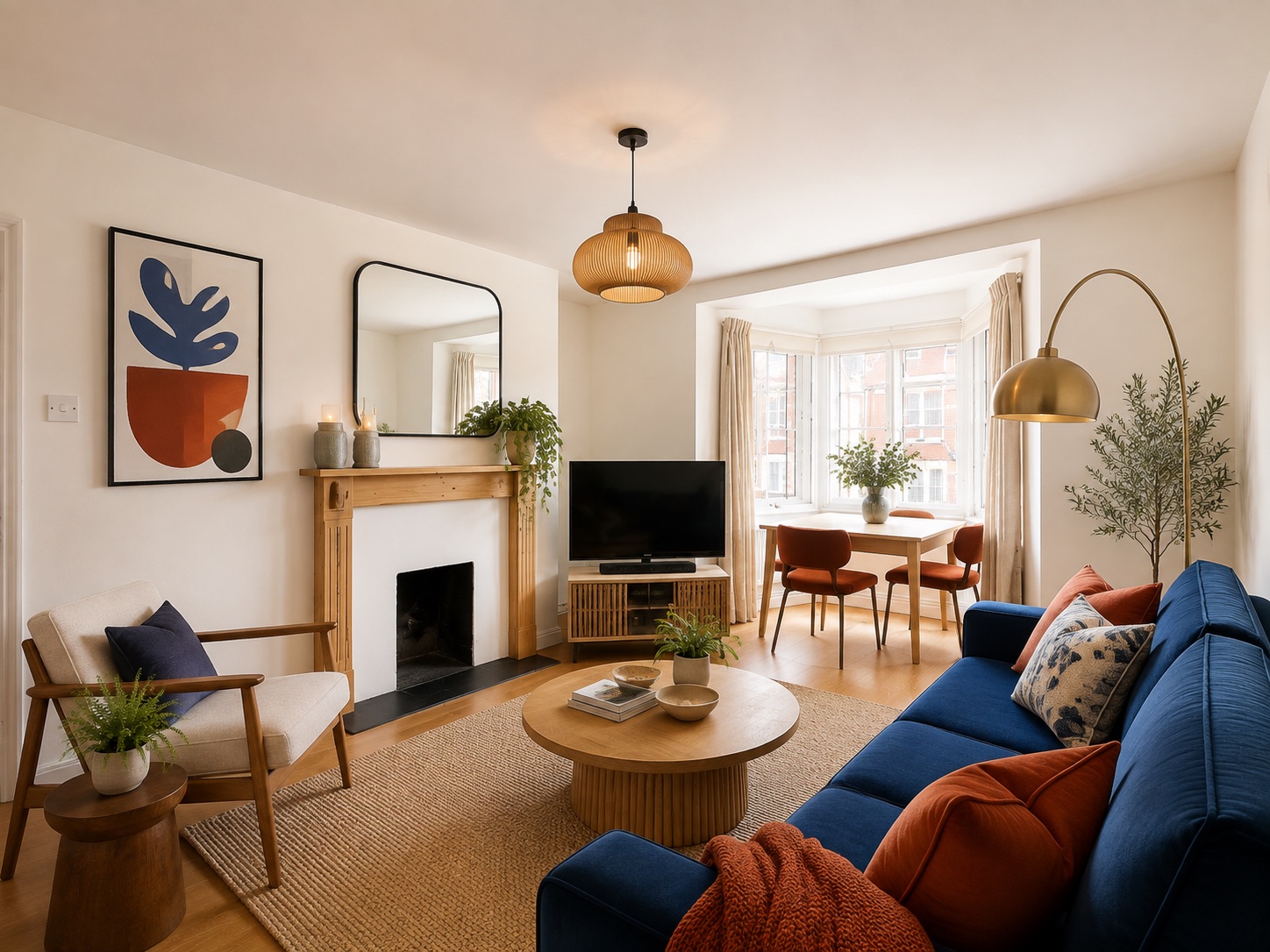
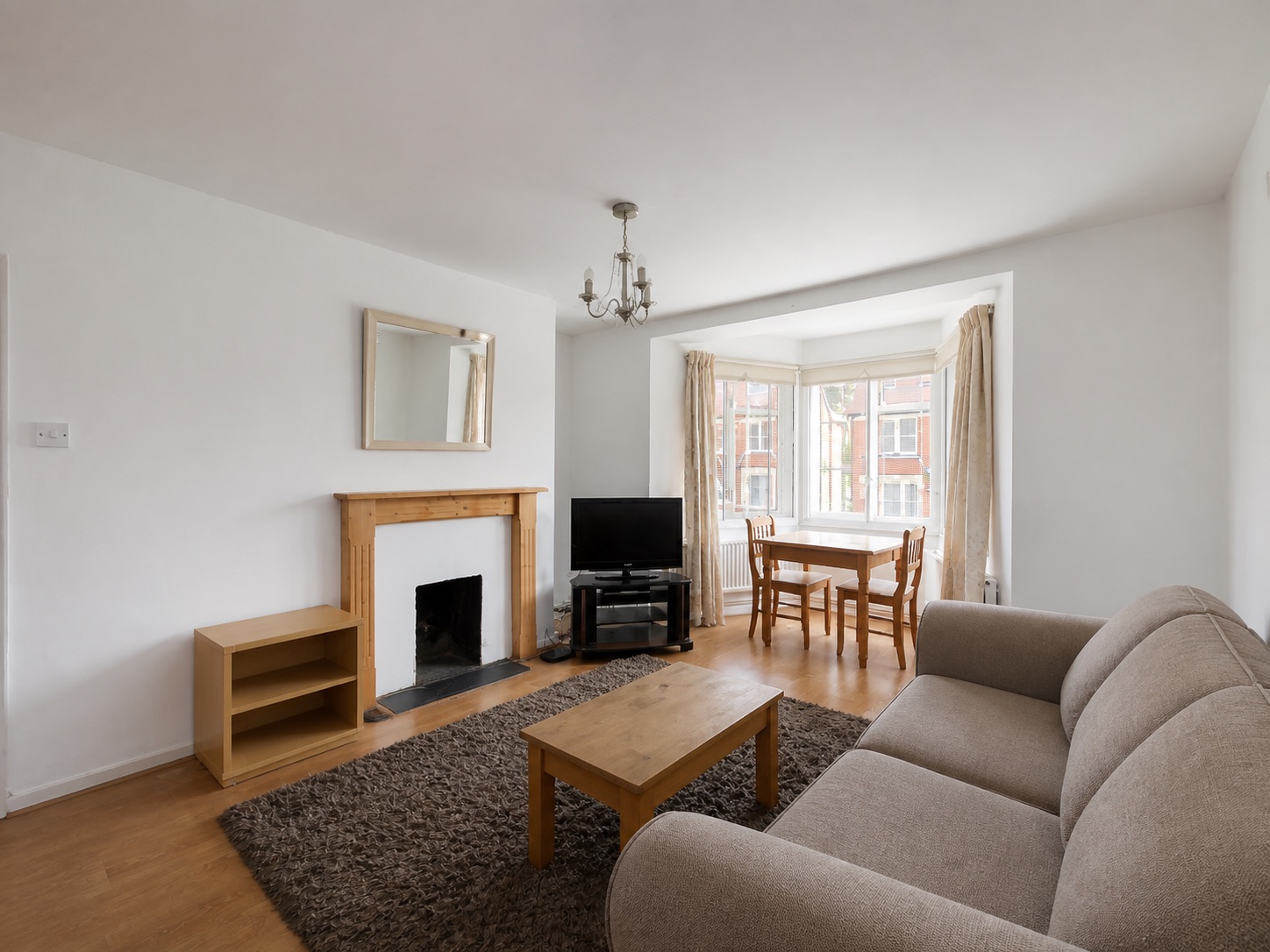
What is AI home design?
AI home design uses images and written requests to help you explore how a home could look. With a photo-based tool, you upload a room, describe a change, and receive a new design image. That image gives you something concrete to consider: a different furniture arrangement, a warmer palette, or a new use for a familiar space.
Home design tools also include floor-plan editors and 3D planners. Choose a photo-based tool when your question is "What could this room look like?" Choose a measured planning tool when you need to draw walls, set dimensions, or work through a floor plan.
The Royal Institute of British Architects reports that architects use AI for early design visualisation. For your own home, a preview gives you a way to explore a direction and discuss it with the people who share the space.
Here, we focus on designing your home's interiors with AI Room Design. You can explore one room today and use the same approach for the next space when you are ready.
Start with the home design question on your mind
"I have no ideas for this room"
You can ask for a fresh design before choosing a style. A first image often helps you discover a preference you could not put into words. You might like the seating arrangement, want more color, or realize that a quieter room suits you better.
Give this living room a fresh design. I am open to ideas.
To gather ideas, IKEA recommends making a mood board with furniture images, colors, patterns and materials you enjoy. This helps you see how your preferences fit together. Choose a favorite reference and explore that direction in your own room.
Treat your reaction as the next instruction. "I like the lighter furniture. Try a more colorful rug" is enough to continue exploring.
"I have an empty room to furnish"
Start with what the room will be used for. An empty bedroom, dining area or home office becomes easier to imagine when you can see furniture in the space.
Furnish this empty room as a comfortable guest bedroom.
Look at the main furniture first. Once you have a direction you like, measure your space and compare actual pieces that fit.
"I want to try a different style"
A style reference gives the AI a visual starting point. Try Scandinavian for simple furniture and natural textures, Art Deco for decorative shapes, or Bohemian for layered fabrics and pattern.
Redesign this room in the style of the reference image.
Browse the interior design styles guide to find a look that appeals to you, then try a style with your own room photo.
"This room needs a new purpose"
A little-used bedroom could become a home office. An attic might become a creative studio. IKEA's room design process starts with the resident's needs and plans the layout around the room's activities. Begin your request the same way: describe how you want to spend time there.
Turn this spare bedroom into a home office with a place to read.
The preview helps you consider which activities belong together and what the room needs to support them.
How to create your first AI home design for free
1. Take a photo that shows the space
Choose a view that includes the main furniture, windows and enough floor to understand the arrangement. Use an evenly lit photo and keep the camera level. For a larger room, begin with the area you most want to change.
2. Upload it to AI Room Design
Open the room design tool and add your photo. If you want to explore the workflow first, choose one of the example rooms already available in the tool.
3. Give the room a direction
Write a short request about the style, purpose or feeling you want. "Make this a cozy reading room" is a useful start. If you have a particular look in mind, choose a preset style reference or upload an inspiration image.
Name any piece you want to keep, such as a dining table or favorite sofa. You can add more detail after seeing the first result.
4. Generate and look at the result
Generate your design, then compare it with your original photo. Notice what you like and which detail you would change next. Check the furniture and room features you asked to keep as you review the image.
5. Save a favorite and refine the idea
Download the design you want to keep. To explore another direction, use the same room photo and adjust your request or reference. Each new generation counts toward the free allowance, so choose a question you want the next image to answer.
Bring a shared look into different rooms
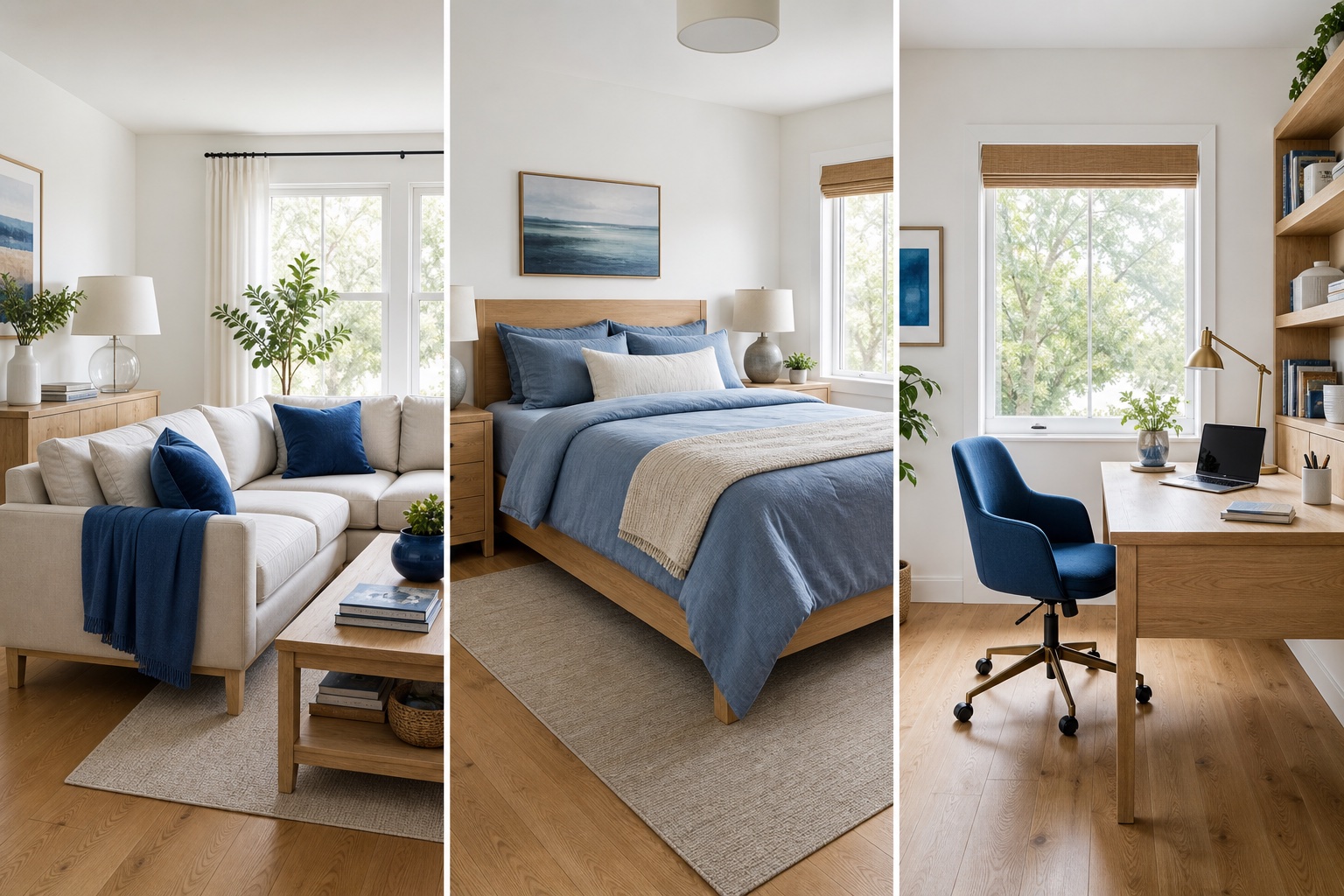
A home can feel connected while giving each room its own character. Choose a detail you enjoy and repeat it in a way that suits each space. It might be warm wood, blue accents or softly rounded furniture.
Benjamin Moore's whole-house color guide suggests choosing a main room and building a palette around it. Related colors can connect the surrounding rooms through shared undertones or different shades of the same color.
For example, you could start with light wood and blue in a living room. Carry the wood into a bedroom through bedside furniture, then use blue in bedding or artwork. In a home office, the same direction might appear in a wooden desk and a blue chair.
- Space
- Living room
- A starting request
- Design a relaxed living room with light wood and blue accents.
- Space
- Bedroom
- A starting request
- Create a restful bedroom with light wood and soft blue textiles.
- Space
- Home office
- A starting request
- Design a bright home office with a light wooden desk and a blue accent.
| Space | A starting request |
|---|---|
| Living room | Design a relaxed living room with light wood and blue accents. |
| Bedroom | Create a restful bedroom with light wood and soft blue textiles. |
| Home office | Design a bright home office with a light wooden desk and a blue accent. |
Use a separate photo for each room and repeat the shared preferences in your requests. A common style reference can help you explain the look you want across those images.
Explore a look for your next room once you have found something you like in the first one.
Get more from each design you generate
Ask one useful question at a time
When comparing ideas, keep the room photo the same and change the direction you want to explore. Try two styles, or keep a style and change its colors. The differences will be easier to judge.
Start simple, then follow your reaction
You do not need a long design brief. Begin with the room's purpose or a look you enjoy. After the preview, describe the part that catches your attention: "Keep that warm feeling and try lighter curtains."
Use references for the details you love
An inspiration image might appeal to you because of its furniture, its colors or its atmosphere. Mention the part you want to borrow. "Use the furniture style from this reference with warmer colors" gives your request a clear direction.
Turn a favorite image into a practical next step
The Council for Interior Design Qualification describes a design process that moves from developing a concept to selecting materials, finishes and furniture. Use your favorite preview as the starting point for those choices.
Save the image and list the changes you would like to make. Measure furniture locations, collect material samples, or discuss the idea with someone who shares the room. The preview gives that conversation a visible starting point.
Questions about free AI home design
Can I generate a home design for free?
Yes. AI Room Design lets you generate room design images with a limited free allowance. If you reach the limit, try again later. You can start by uploading your own photo or choosing an example room.
Do I need an account or an app?
You can start without signing up. The tool runs in your browser, so you can use it from a phone or computer.
Can I use it if I do not know any design styles?
Yes. Describe what you want to do in the room, ask for a fresh design, or pick a reference image you like. The tool includes 23 style references, and the style guide explains their visible characteristics.
Can I design my whole home?
You can explore your home room by room. Upload a photo of each space and repeat the colors, materials or style you want to connect them. Each request creates an individual design image.
Can I keep furniture I already own?
Name the pieces you want to keep in your request. For example, "Keep my wooden dining table and redesign the room around it." Compare the generated image with your original photo to check those details.
Does this create a floor plan or exterior design?
This guide covers photo-based interior design. The tool returns a downloadable room design image. For measured layouts, use a floor-plan editor; for a facade or garden project, choose a tool designed for exterior work.
Can I download my design?
Yes. Download your generated room image to keep it, compare ideas or share the direction you like.
Explore the design ideas behind this guide
IKEA: Create a mood board. A visual guide to gathering furniture, colors and materials into a design direction.
Benjamin Moore: Whole-house color schemes. Practical ways to connect rooms through color, with example palettes.
CIDQ: What is interior design? An introduction to professional design work and the stages of a project.
RIBA: AI in architectural practice. Research on how architects are using AI in their work.
See what your home could look like
Choose the room you keep thinking about. Upload a photo, give it a direction, and see a new design for that space. Your first request can be as simple as "Help me find a look for this room."
Try AI home design for free